Google’s “Created or Edited with AI” Ad Label: What Changes and How to Test the Impact
.webp)
Google is adding a user-facing “created or edited with AI” disclosure for certain ads, visible through My Ad Center, including ads across Search, Discover, and YouTube.
Because AI involvement can become visible to users, it becomes a new creative variable that could influence trust and response even when targeting and bidding do not change.
To measure impact, marketers should run controlled tests where the only difference is whether creative production was AI-assisted versus non-AI.
To keep reporting clean, add “AI involvement” to creative metadata and campaign notes, and strengthen creative QA and version control so analysis can segment outcomes accurately.

AI involvement is becoming a visible creative attribute, not just a behind-the-scenes workflow detail.
Key takeaways
- A new Google disclosure makes AI-assisted ad creation a user-visible attribute (per The Verge).
- AI usage should be tracked as creative metadata so results can be segmented and explained.
- Design experiments that isolate AI involvement, and define success metrics and guardrails upfront.
- Standardize creative QA and version control for AI workflows before scaling production.
What changed: Google will label ads “created or edited with AI”
Google is adding a “created or edited with AI” disclosure for certain ads. The disclosure is user-facing and can be viewed through My Ad Center.
According to reporting from The Verge, this labeling applies to ads across Search, Discover, and YouTube. That means the same transparency concept can show up across multiple surfaces where users may encounter your creative.
For marketers, the key interpretation is that AI usage becomes an observable creative attribute. Even if the media plan is unchanged, the production method behind a specific ad can now be visible to users who choose to look at ad details.
- Where it appears: via My Ad Center (per The Verge).
- Where it can apply: Search, Discover, and YouTube ads (per The Verge).
- What that implies: “AI involvement” becomes something audiences can potentially factor into perception.
Why it matters for performance: a new creative variable users can see
When a new disclosure becomes visible to users, it can act like a creative variable. Even if you keep bids, audiences, and placements constant, the user’s interpretation of the ad may change when they learn it was created or edited with AI.
From an analytics perspective, this creates a practical risk: performance reporting can become confounded if AI-assisted and human-only creative work is mixed together without tracking. If you later see changes in CTR, CVR, or downstream funnel behavior, you may not be able to separate production-method effects from other changes that occurred at the same time.
To keep conclusions interpretable, plan analysis around “AI involvement” as a segmentation dimension. The goal is not to assume the label will help or hurt performance, but to ensure you can measure outcomes cleanly and explain them with evidence.
- Creative interpretation can shift: users may respond differently once AI involvement is disclosed.
- Mixing workflows can blur results: without tracking, you cannot reliably attribute changes.
- Segmentation is required: treat AI involvement like a distinct dimension in analysis.
Testing playbook: isolate the effect of AI-assisted vs non-AI creative production
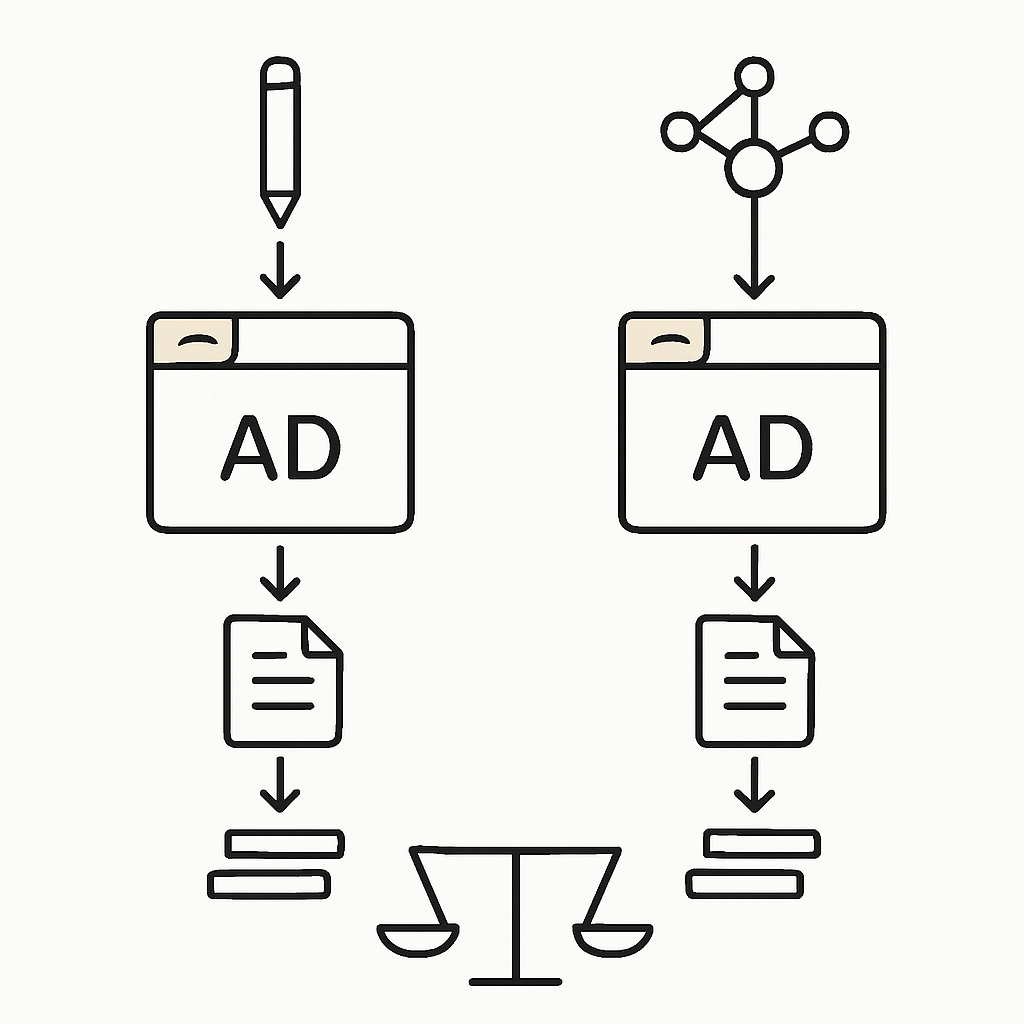
Structure tests so the only intended difference is whether creative production was AI-assisted or not.
To test impact, structure experiments so AI involvement is the only intended difference between variants. In practice, this means building paired creative sets where you tightly control everything else: offer, landing page, placements, and measurement setup.
1) Create paired variants that differ only by AI involvement
Design two versions of the same concept where the message and destination are held constant, but the production method differs. The closer the match between variants, the more interpretable the result.
- Use the same offer and pricing language (if any) across variants.
- Use the same landing page and conversion path.
- Keep placements consistent so the comparison is not driven by inventory mix.
- Ensure the primary difference is whether the creative was AI-assisted versus non-AI in production.
2) Predefine success metrics and guardrails
Define what “better” means before launching. Avoid single-metric optimization that could hide trade-offs.
- Primary metrics: CTR and CVR.
- Guardrails: include policy or disapproval outcomes where applicable, since creative changes can affect eligibility.
- Decision rules: document what result would lead you to scale, iterate, or stop a variant.
3) Plan sample and runtime, and document changes
Make sure the test runs long enough and collects enough data to support a directional conclusion. Also, record any constraints that could affect interpretation, such as limited volume or changes required mid-flight.
- Set expectations for runtime and minimum data needed to compare variants.
- Log any mid-flight edits so analysis can account for them later.
- Document operational constraints (for example, limited creative inventory or approval timing) so stakeholders understand confidence levels.
Creative QA checklist for AI workflows (principles-based)
Regardless of whether AI is used, QA should ensure the ad accurately represents the offer and matches what users will experience after the click. With AI workflows, consistent QA and documentation also make audits and learnings easier.
Claims substantiation review
Verify that ad claims align with landing page content and are supportable. The objective is to prevent mismatches between creative language and on-site reality.
- Confirm the ad’s key statements are consistent with the landing page.
- Check that important qualifiers are not omitted between ad and landing.
- Ensure internal reviewers can trace each claim back to on-page information or approved messaging.
Image integrity and brand safety review
For image-based formats, confirm the creative matches intent and brand standards. Where AI is used to generate or edit assets, review for unintended artifacts and inconsistencies that could distract users or create risk.
- Check visuals for unintended artifacts or confusing elements.
- Confirm the creative reflects the intended product or message.
- Validate brand alignment using your existing brand standards and approvals process.
Version control
To make results measurable and repeatable, maintain clear records of what was produced, what inputs were used, and what actually ran.
- Track source files and final exported variants.
- Record prompts or inputs used to create or edit assets.
- Log review and approval status, including who approved and when.
- Maintain naming conventions that make it easy to map performance back to a specific version.
Measurement and reporting: annotate AI usage so you can explain outcomes
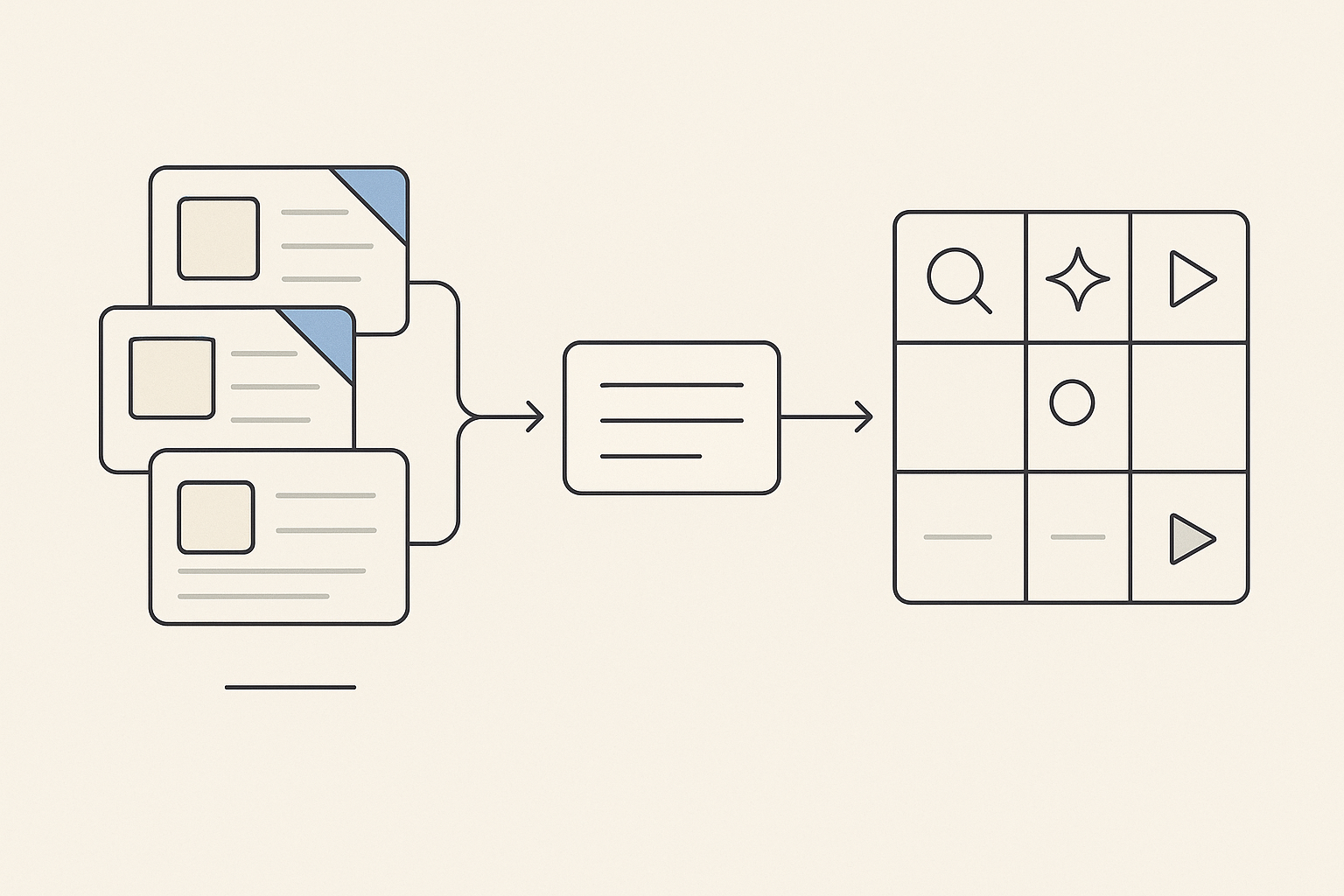
Capture AI involvement as metadata so performance can be broken out by tier and by surface.
If AI involvement is a dimension you want to analyze, it must be captured in your reporting workflow. The simplest approach is to add structured metadata, then ensure your reporting can break out performance by AI involvement tier.
Add an “AI involvement” field to creative metadata and campaign notes
Create a consistent way to label each asset or variant. Keep it simple so it is easy to maintain across teams.
- Use a clear field name such as AI involvement.
- Standardize tiers such as AI-assisted and non-AI.
- Mirror the same labels in campaign notes so stakeholders can quickly understand what ran.
Create a reporting cut by AI involvement across surfaces
Because the disclosure can apply across Search, Discover, and YouTube (per The Verge), structure reporting so you can examine performance by AI involvement within each relevant surface. This helps avoid mixing effects across placements.
- Report performance by AI involvement tier.
- Where relevant, segment by Search, Discover, and YouTube.
- Keep the definitions consistent so the cut remains stable over time.
Post-campaign analysis and documentation
After the campaign, capture what you learned and any anomalies you observed. The goal is to build an internal evidence base so future creative decisions are faster and better grounded.
- Summarize outcomes by AI involvement tier.
- Note anomalies and operational issues (for example, mid-flight changes) that may have influenced results.
- Document actionable learnings to inform the next round of creative strategy and testing.
Sources
Frequently asked questions
What is Google’s “created or edited with AI” ad label?
It is a user-facing disclosure that indicates an ad was “created or edited with AI,” and it can be viewed through My Ad Center (per The Verge).
Where will Google show the AI label for ads (Search, Discover, YouTube)?
According to The Verge, the disclosure can apply to ads across Search, Discover, and YouTube, and it is visible via My Ad Center.
How can performance marketers test whether the Google AI ad label affects CTR or conversions?
Run a controlled comparison using paired variants where the offer, landing page, and placements are the same, and the only intended difference is whether creative production was AI-assisted versus non-AI. Predefine success metrics (for example CTR and CVR) and guardrails, and document any mid-flight changes so results remain interpretable.
What should I track in reporting to measure the impact of AI-assisted creatives?
Track “AI involvement” as creative metadata and in campaign notes, using consistent tiers such as AI-assisted versus non-AI. Then build a reporting view that breaks out performance by AI involvement, and where relevant segment across Search, Discover, and YouTube to avoid mixing results from different surfaces.
.webp)
.webp)
.webp)
.webp)

.webp)