CTV Conversion APIs: What Netflix’s Move Signals and How to Trust (and Verify) Outcome Reporting
.webp)
A CTV conversion API (CAPI) is a server-side way to send conversion events that supports outcome-oriented reporting for streaming ads. Netflix unveiling a conversion API is a concrete signal that CTV is moving deeper into platform-mediated performance measurement. A CAPI changes the data path versus pixel-only approaches, but it does not automatically make reported outcomes “true” without strong conversion definitions, QA, and reconciliation. To trust results, standardize event taxonomy, plan deduplication and windows, and validate platform-reported outcomes against internal analytics and, where feasible, independent controls like holdouts.

Server-side conversion signals enable outcome reporting, but governance and validation determine what the numbers mean.
Key takeaways
- A CTV conversion API is an implementation and governance shift, not a guarantee of accuracy.
- Event definition, deduplication, and attribution windows are the highest-leverage levers to QA before scaling spend.
- Treat platform-reported conversions as a dataset to validate against internal sources and independent controls.
- Add creative diagnostics so measurement improvements are not mistaken for creative impact (and vice versa).
What a CTV conversion API changes (and what it doesn’t)
A CTV conversion API is best understood as a shift in how conversion signals are transmitted and processed, which supports more outcome-oriented reporting for streaming ads. The appearance of a Netflix conversion API is a clear market signal that performance TV measurement is becoming more platform-mediated and closer to the conventions of digital performance reporting.
Compared with pixel-only approaches, server-side conversion signals change the reporting path by sending events from server systems rather than relying solely on client-side browser or device execution. In practice, that means implementation decisions often move into backend engineering and data governance, not just tag management.
Even with server-side tracking, “CAPI” is not synonymous with “truth.” Reported outcomes still depend on how conversions are defined, how identity or matching works, and how the platform attributes and reports results. Treat a CTV conversion API as an enabling layer, then build process around it to ensure the events are meaningful and the reporting is interpretable.
- What changes: the transmission method for conversion signals and the operational discipline required to maintain it.
- What does not change: the need for precise definitions, matching logic awareness, and validation against independent data sources.
Define “a conversion” before you integrate anything
Before integrating a CTV conversion API, define conversion events by funnel stage. For some brands, that may mean separating leads, sign-ups, purchases, subscriptions, or other milestones into distinct events rather than collapsing everything into a single “conversion” label. The goal is to avoid a situation where reporting looks strong, but the measured action does not map cleanly to business value.
Next, standardize event taxonomy across web and app. If the same user action is represented by different event names, parameters, or rules depending on environment, reconciliation becomes guesswork and teams can accidentally optimize toward inconsistent definitions. A single event dictionary helps keep reporting comparable across surfaces.
Document the rules that govern counting and credit assignment up front. Windowing and uniqueness rules are not minor settings: they determine whether outcomes are inflated, suppressed, or simply incomparable across channels and campaigns. At minimum, write down the choices you will use and keep them consistent during an initial learning period.
- Conversion events: define which actions count at each funnel stage and keep them distinct.
- Taxonomy: align event names and required parameters across web and app.
- Counting rules: specify attribution windows, match windows, and what counts as a unique conversion.
Pre-launch QA checklist: taxonomy, deduping, and reconciliation
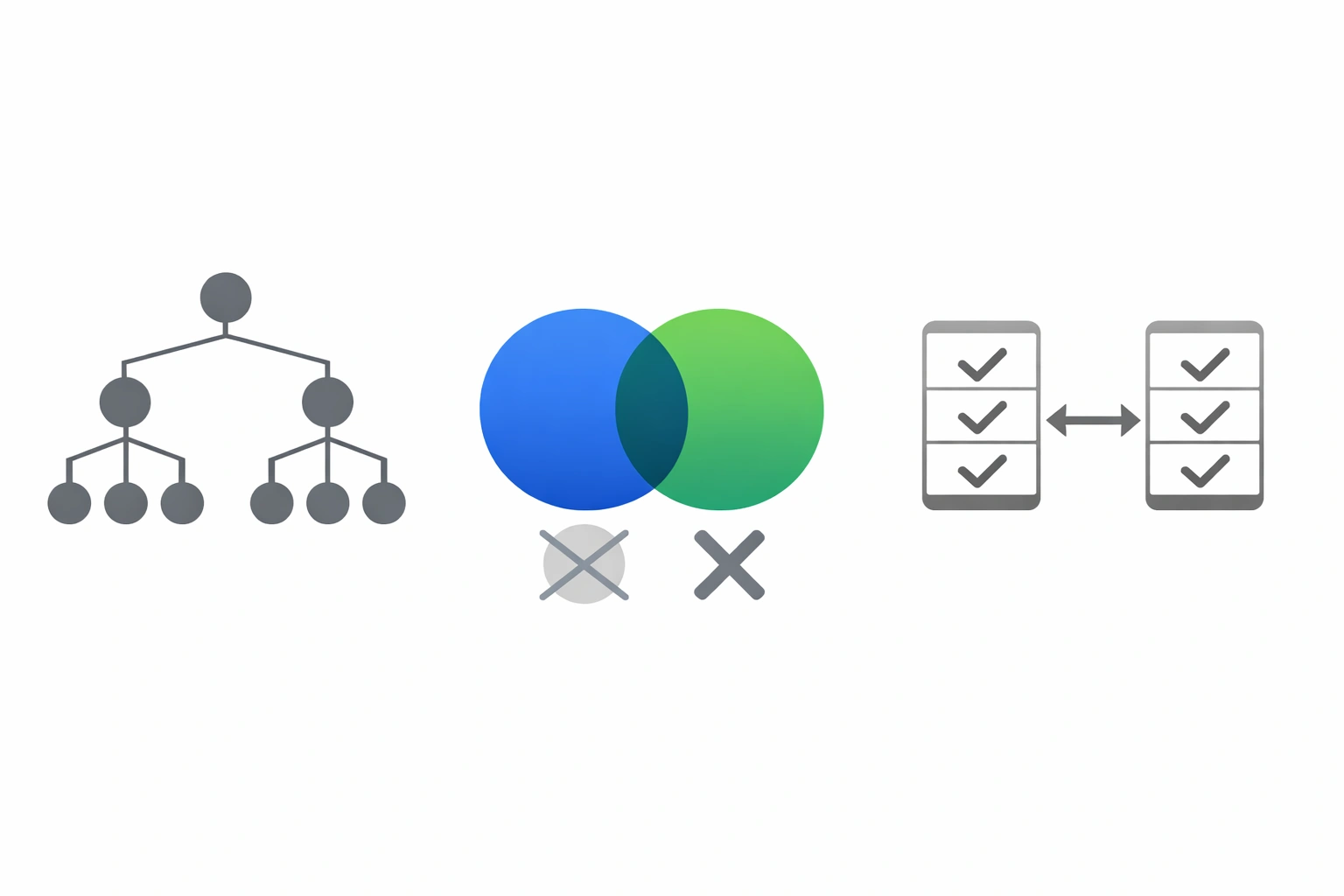
QA focuses on consistent event definitions, preventing double counts, and explaining expected deltas between sources.
Pre-launch QA is where many “measurement problems” are prevented. Start with a pixel versus server event reconciliation plan. If you are collecting client-side events and sending server-side events, decide what parity you expect, where divergence is acceptable, and how you will investigate deltas. Without that plan, normal discrepancies can look like platform issues, and true issues can hide in noise.
Deduplication is a key control. If a conversion is sent from both client and server, or appears from multiple sources for the same user action, you need an explicit deduplication approach to avoid double counting. Decide which event source is authoritative under which conditions and how duplicates are identified.
Finally, perform basic integrity checks before launch and again in early flight. Confirm events fire as intended, required parameters are present, and values are consistent across environments such as staging and production. Integrity checks should focus on repeatability and consistency, because inconsistent event payloads often create downstream reporting anomalies that are hard to diagnose later.
- Reconciliation: define expected parity between pixel and server events and acceptable deltas.
- Deduplication: prevent double counting across client and server submissions.
- Integrity: verify event firing, parameter completeness, and environment consistency.
Attribution pitfalls to watch as CTV goes performance
As CTV shifts toward performance TV measurement, attribution choices have outsized impact. Windowing and deduplication settings can materially change reported conversion volume. A longer window or permissive uniqueness rules can increase credited conversions, while strict deduplication and shorter windows can reduce them. These are not inherently good or bad choices, but they must be intentional and consistent with how you interpret results.
Mismatches between platform-reported conversions and internal analytics or CRM are common enough that you should plan for them. Differences can stem from definitions, timing, identity or matching limitations, and counting rules. The key is to treat platform outcomes as a dataset that must be reconciled, not as a final source of record.
Identity and matching constraints should be treated with humility. When matching is uncertain or incomplete, the right interpretation is directional, not over-precise. Build reporting narratives that acknowledge where measurement is dependent on match logic and where conclusions rely on assumptions you can test or at least monitor.
- Windowing impact: attribution and match windows can inflate or suppress outcomes.
- Reconciliation reality: expect differences between platform reporting and internal systems, then diagnose systematically.
- Interpretation discipline: avoid false precision when identity or matching is constrained.
How to validate CTV CAPI outcomes with independent controls and creative diagnostics
Validate outcomes with controls (lift) and diagnose creative performance separately from measurement changes.
Validation starts with reconciliation. Compare CAPI-reported outcomes with your site or app analytics and CRM sources using the same event definitions and time boundaries you documented pre-launch. Where discrepancies appear, triage them by category: definition mismatch, missing parameters, deduplication conflicts, or windowing differences. The objective is not perfect equality, but controlled, explainable differences.
Where feasible, use incrementality methods such as holdouts or controlled comparisons to cross-check platform reporting. Independent controls help answer a different question than attribution alone: whether observed outcomes are meaningfully driven by exposure, rather than merely associated with it. Even a simple, well-documented control structure can provide a reality check on performance claims.
Pair measurement validation with creative performance diagnostics so you do not confuse improved instrumentation with improved persuasion. When you change tracking, platforms may report more complete outcomes even if creative did not change. Conversely, a creative improvement can be masked by tracking instability. A practical framework is to keep measurement settings stable during creative tests, evaluate performance at the creative level, and use consistent conversion definitions so comparisons remain valid.
- Reconcile first: align definitions and time boundaries across CAPI reporting, analytics, and CRM.
- Add controls: use holdouts or controlled comparisons when feasible to check directional lift.
- Diagnose creative: separate creative effects from measurement changes with stable definitions and consistent test structure.
Sources
Frequently asked questions
What is a CTV conversion API (CAPI) and how does it work for streaming ads?
A CTV conversion API is a server-side method of sending conversion events used for outcome-oriented reporting in streaming ads. Instead of relying only on client-side pixels, conversion signals can be transmitted from server systems, which changes the data path and the operational requirements for implementation and QA.
Does a Netflix conversion API make CTV attribution more accurate?
Not automatically. A conversion API can change how conversion signals are collected and transmitted, but accuracy still depends on conversion definitions, identity or matching constraints, attribution and match windows, deduplication rules, and how results are reported. Treat platform-reported outcomes as something to validate against internal data and, where feasible, independent controls.
What should marketers QA before launching a CTV campaign using server-side conversion tracking?
QA the event taxonomy and ensure consistency across web and app, set and document attribution and match windows, and define what counts as a unique conversion. Build a reconciliation plan for pixel versus server events with expected parity and acceptable deltas, implement deduplication to avoid double counting, and run integrity checks for event firing and parameter completeness across environments.
How can I validate platform-reported CTV conversions with incrementality testing and internal analytics?
Start by reconciling platform-reported conversions with site or app analytics and CRM using aligned definitions and time boundaries. Then, where feasible, use holdouts or controlled comparisons to create an independent control that can directionally check whether outcomes change with exposure. Maintain stable measurement settings during creative evaluation, and use creative diagnostics to separate tracking changes from creative impact.
.webp)

.webp)
.webp)
.webp)
.webp)